© C. Gottheimer, 1992-2012
Download the zipped C source code (v0.2.1):
lhTools.zip (45 KB).
Download Windows32 version (v0.2):
lhTools_Win32.zip (84 KB).
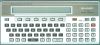
lhTools is a toolbox for dissasembling and decompiling the BASIC or machine language programs of the SHARP PC-1500.
It consists of 2 programs:
- lhbin : To produce a binary image from several sources;
- lhdump : To decompile, disassemble and decode the binary images.
1/ lhbin
-----
Usage: ./lhbin [-h] [-v] [-x] [-o binfile] srcfile
-h This help
-v Show version and exit
-x srcfile is in full hexa without header
-o outfile Write binary to outfile, else use stdout
To create a binary file from hexadecimal data: create a text file containing all hexadecimal codes, separated or not by space or a new line. Call lhbin with option -x and the text file name. Binary data will be generated on stdout. To save the binary data into a file, use the -o filename option. Creating a BASIC file currently does not work.
2/ lhdump
------
Usage: ./lhdump [-h] [-v] [{-s|-d}] [-a] [-g] [-D:_dis_] [-C[=addr]] [-O addr][-F infile] [-K infile] [-S infile] [fragment, ...] [-o outfile] infile
where:
-h This help
-v Show version and exit
-d Produce listing file; This is the default
-s Produce source file; exclusive with -d
-a BYTE fragments are printed in HEX and ASCII
-g Use graphical character for &27 &5B &5C &5D and &7F
-D:_inst_ In BASIC fragment _inst_ are disassembled
where _inst_ is DATA, POKE, REM, VAR
REM and VAR are disassembled only when code is found
-C Compute full CHECKSUM
-C=addr Compute CHECKSUM to addr-1, and compare to addr
-O addr Origin address, else start at 0000
-F infile Read fragment description from infile
-K infile Read keyword from infile
-S infile Read symbols from infile
-o outfile Write dump or source to outfile, else use stdout
with fragment:
-B [addr] BASIC fragment; This is the default
-R [addr] RESERVE fragment
-X [addr] XREG fragment
-V [addr] dynamic VARiables fragment
-c [addr] CODE fragment
-b [addr] BYTE (8-bits) fragment
-w [addr] WORD (16-bits) fragment
-l [addr] LONG (32-bits) fragment
-t [addr] TEXT fragment
-k [addr] KEYWORD fragment
lhdump is the full dumper, decoder, decompiler and disassembler. It works from a binary image (created by lhbin) and prints the dumped source according to the options.
-B : A BASIC image is expected. So the BASIC decompiler is called
-c : A ML image is expected, the LH5801 disassembler is called
-X, -V, -R : XREGS, dynamic VARiables, RESERVE image is expected. So the decoder is called.
-b, -w, -l, -t : A data image is expected. So the disassembler is called.
-k : A BASIC keyword table image is expected.
When a BASIC image contains some ML code inside, in REM lines, variables or DATA, the -D:_inst_ may be specified. Depending on the processed BASIC instruction, the LH5801 disassembler is called.
-C or -C=aaaa : Computes and prints the code checksum. When -C=aaaa is given, the computed checksum and this stored into the ML code at the address aaaa is compared.
-K file : Read the BASIC keyword file to produce the BASIC decompiled source. This is useful to decompile BASIC programs written with some BASIC extensions.
-F file : Read the FRAGMENT description from the given file. The let a mixed segment of code, data, BASIC, ... in the same binary image.
3/ fragments
---------
The usage of fragments describe how the binary image is structured. The following fragments may be define:
CODE : -c option
BYTE : -b option
WORD : -w option
LONG : -l option
TEXT : -t option
KEYWORD : -k option
BASIC : -B option
RESERVE : -R option
VAR : -V option
XREG : -X option
The format of the fragment file is:
.FRAGMENTS:
_fragment type1_ _address1_
_fragment type2_ _address2_
...
_fragment typeN_ _addressN_
Between two _fragment type_, a comment may be added with COMMENT text....
For example:
.FRAGMENTS:
CODE 00C5
COMMENT My program
BYTE 0100
TEXT 0120
CODE 0130
The code starts at &00C5 to &00FF. The comment "My program" will be printed after a ;.
A data table as bytes starts at &0100 to &011F.
A text starts at &0120 to &012F.
A code starts at &0130 to the end of the binary image.
4/ Install
-------
You need gmake and gcc to compile the lhTools-0.2.
Just go into the .../lhTools-0.2 directory and type make. This will produce two executables lhbin and lhdump. Install them into your bin dirextory.
5/ Bugs report and license
-----------------------
Bugs reports and suggestions: see README file
Copyright 1992-2012 Christophe Gottheimer
lhTools is free software; you can redistribute it and/or modify it under the terms of the GNU General Public License version 2 as published by the Free Software Foundation. Note that I am not granting permission to redistribute or modify nsimII under the terms of any later version of the General Public License.
This program is distributed in the hope that it will be useful (or at least amusing), but WITHOUT ANY WARRANTY; without even the implied warranty of MERCHANTABILITY or FITNESS FOR A PARTICULAR PURPOSE. See the GNU General Public License for more details.
You should have received a copy of the GNU General Public License along with this program (in the file "COPYING"); if not, write to the Free Software Foundation, Inc., 675 Mass Ave, Cambridge, MA 02139, USA.